
FXTM Trading App Tutorials: Managing your Rewards
* Trading is risky. Your capital is at risk.

Manage FXTM Rewards
The FXTM Rewards programme allows you to get more value from your trading activity. We made it simple to track your progress and claim your cash directly from the app.
Follow these steps to manage your rewards account.
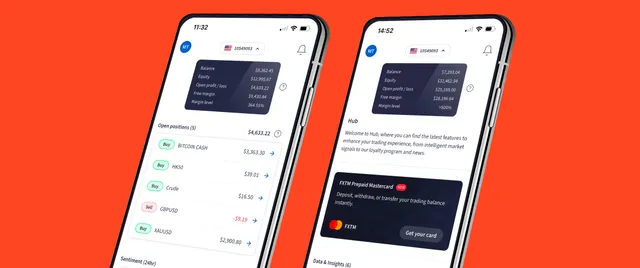
Step 1: Access the hub
Start on the Home screen of the app. Tap the Hub icon located at the bottom right of your screen.
This opens the Loyalty and Bonuses section. Here you will find access to Rewards, Bonuses, and other promotional features.
Step 2: Check your status
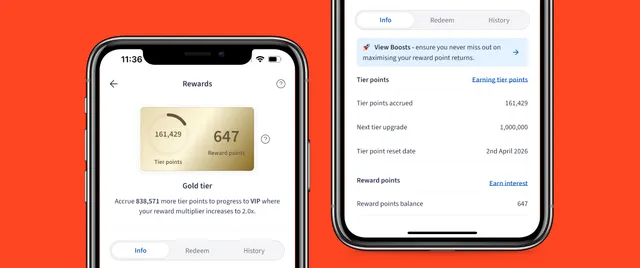
Tap on Rewards to view your dashboard. The Info tab provides a clear overview of your account, including your current Tier status and points balance.
You earn both Tier and Reward points twice per trade. We award points when you open a position and again when you close it.
Step 3: Explore tier details
For a deeper understanding of the programme, tap the question mark icon next to your card. This provides a full description of the Tiers and points system.
You can also scroll through the categories to see the specific Tier points awarded for trading different instruments.
Step 4: Redeem your points
When you are ready to use your points, tap the Redeem tab. Select Cash and enter the amount you wish to transfer.
Choose your destination account and tap Confirm transfer. You can use these funds to place your next trade or withdraw them as cash.
Step 5: Review your history
To see a record of your activity, scroll through the History tab. This gives you a complete overview of the points earned for each transaction.
Bottom line
And that wraps up how to manage your rewards effectively.
Check out our other how-to videos and guides to explore the full potential of the FXTM App. below.